DRAGON BALL Z DOKKAN BATTLE Top-up Guidance
Please be sure to fill in the required information accurately by following top up guidance, to receive your Dragon Stone and packs within a few minutes.
Note:
Top-up only supports Google and Facebook login
Applicable Platform
DRAGON BALL Z DOKKAN BATTLE Mobile
Applicable Server
International Server
(Please kindly choose the correct region to top up successfully.)
DRAGON BALL Z DOKKAN BATTLE Top-up Required Information
1. Availiabe for Bandai, Facebook, Google account only.
(Currently only supports Bandai Login. Please kindly link your data with the required login method.)
2. Password
3. Character Name
How to link data to the Bandai account in DRAGON BALL Z DOKKAN BATTLE?
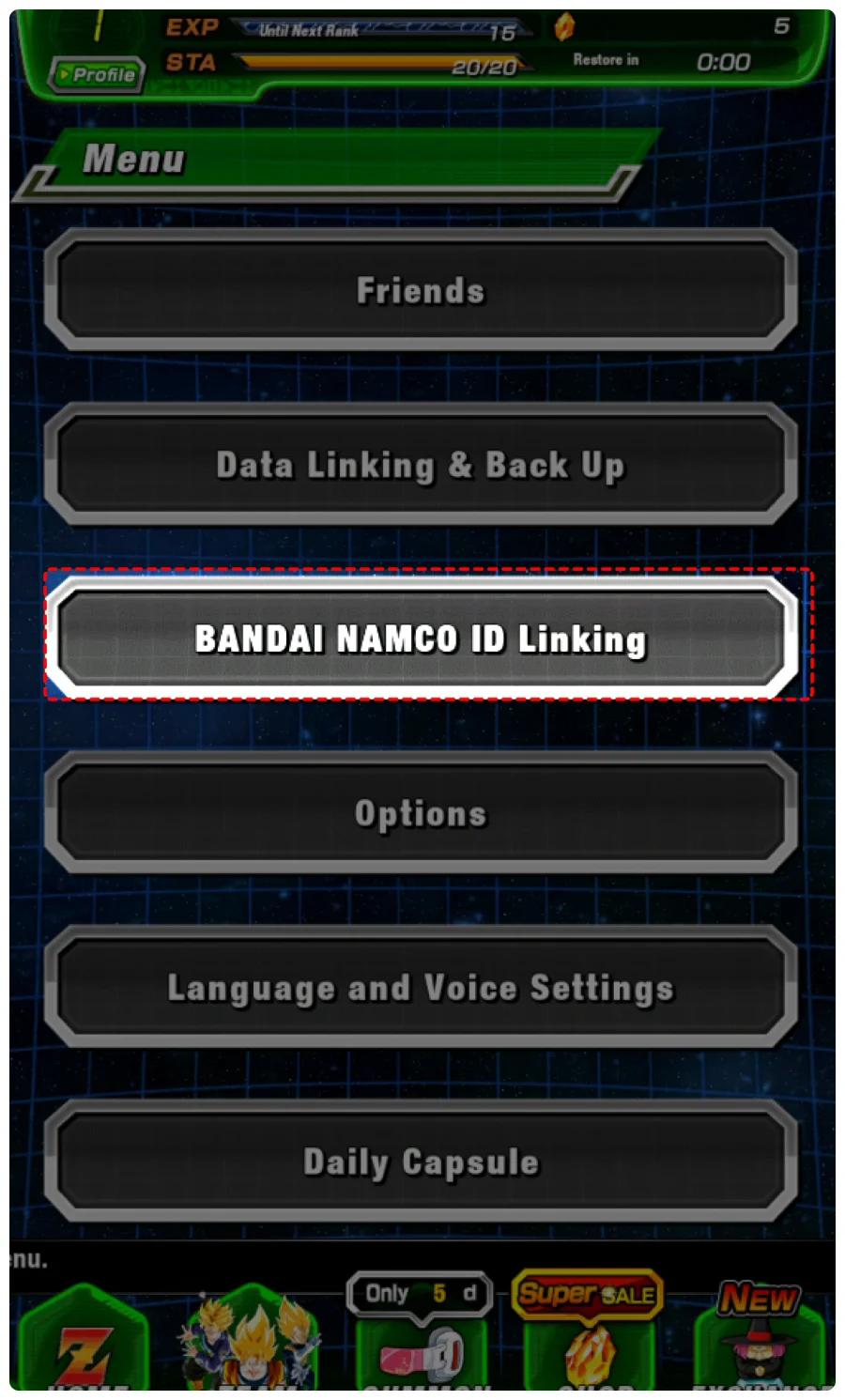
1. Tap the icon at the bottom of the home screen "News" to open the "Menu"
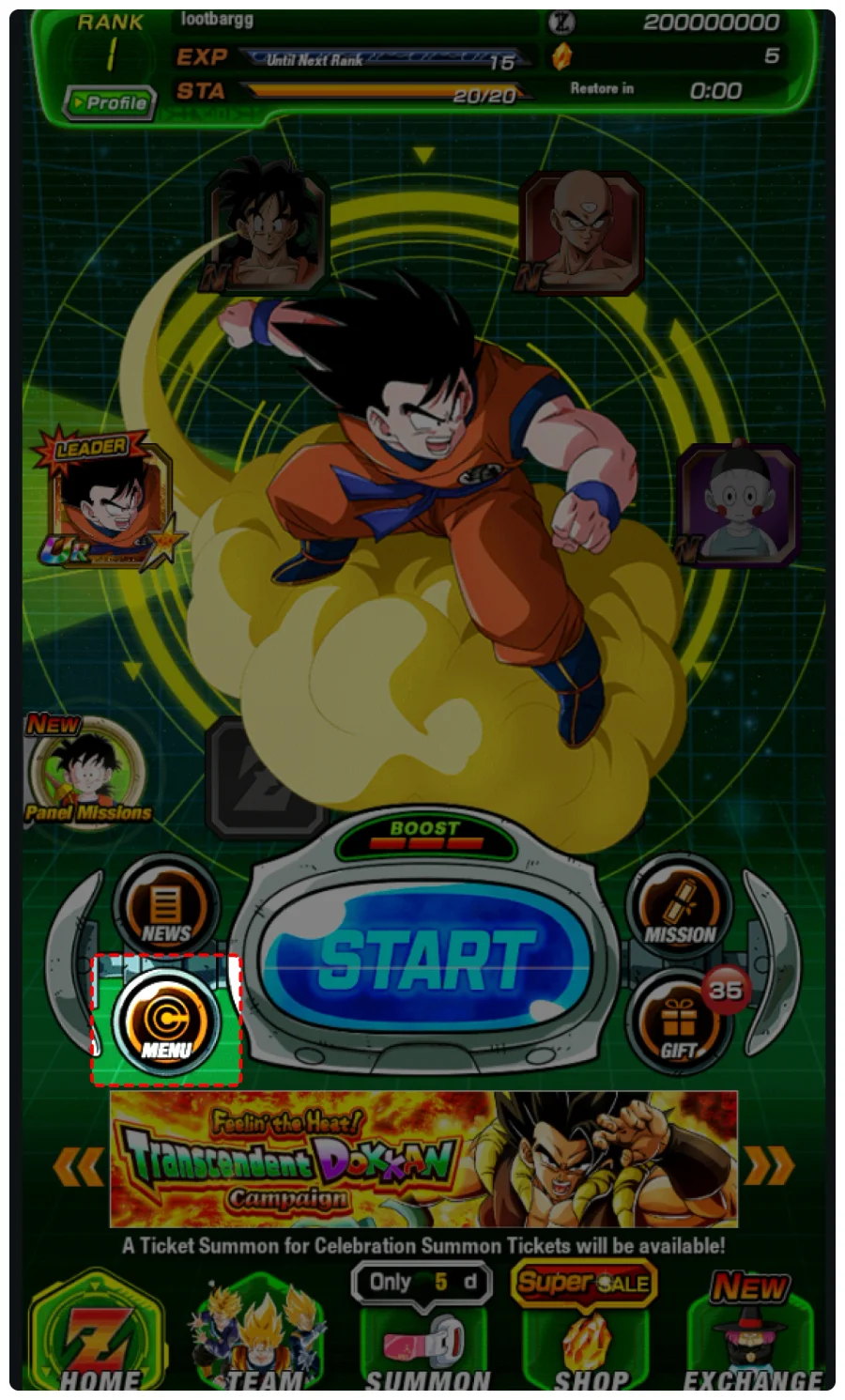
2. Choose "BANDAI NAMCO ID Linking"
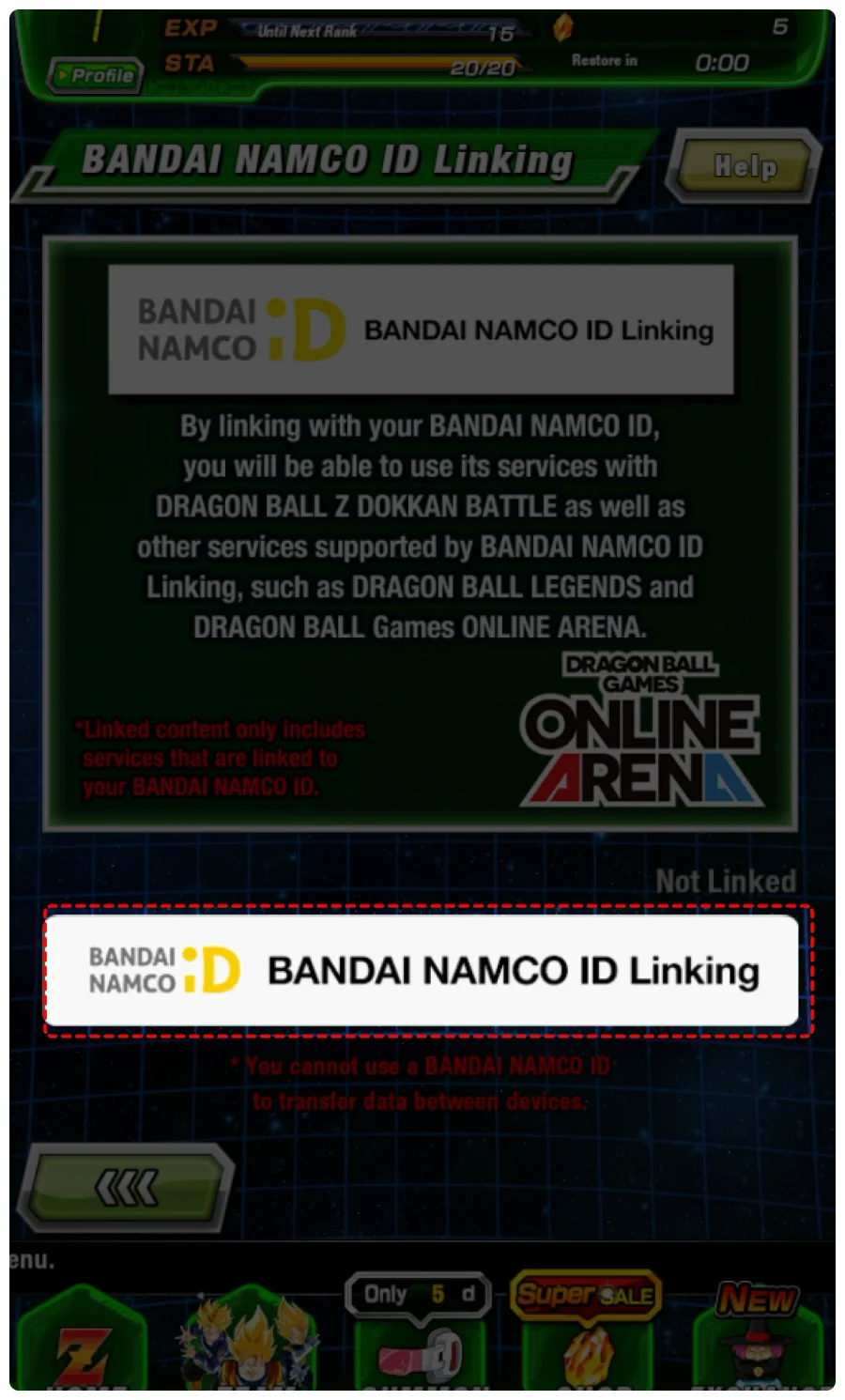
3. Tap "BANDAI NAMCO ID Linking"
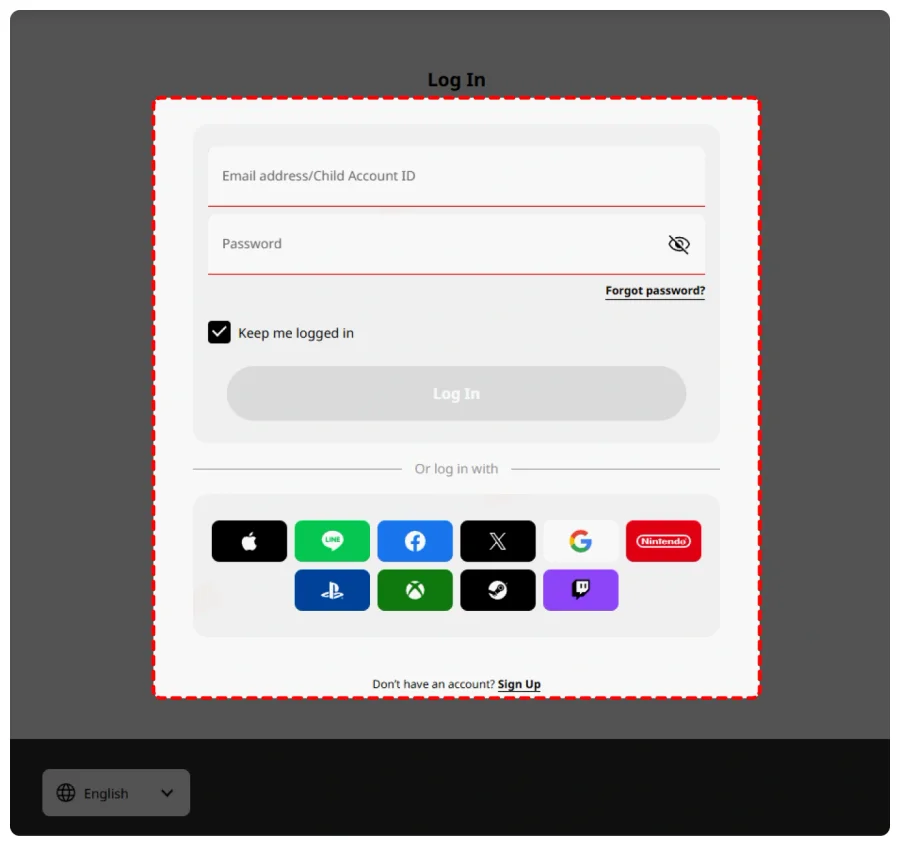
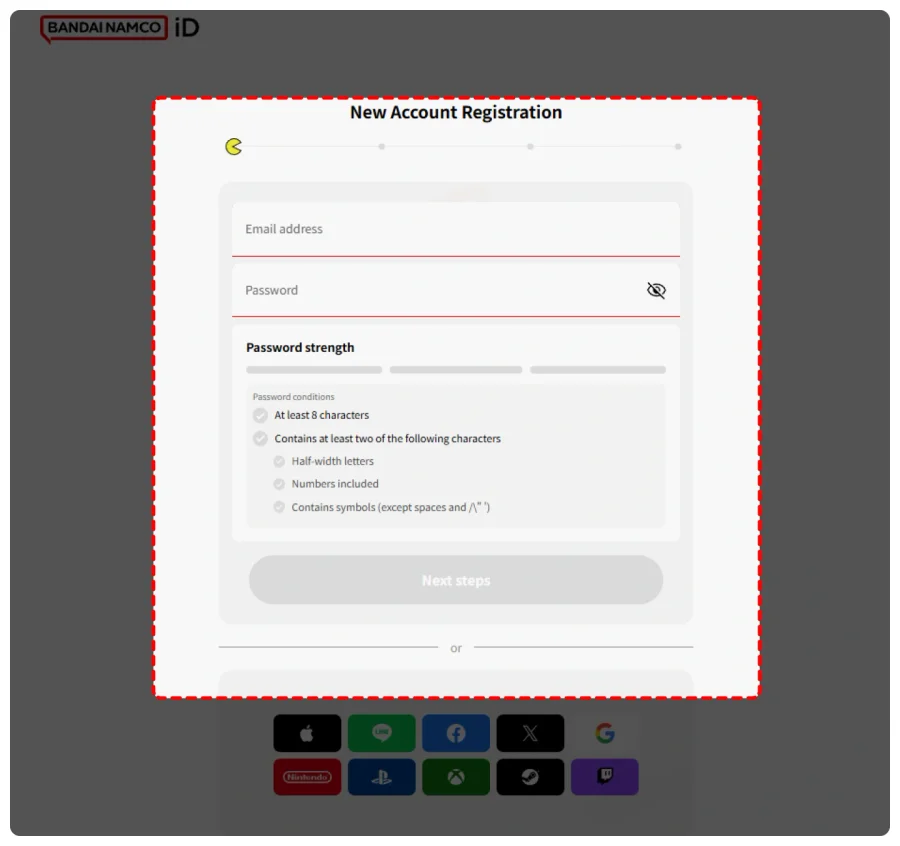
4. Sign in and bind your Bandai Account via the "Link Data" entrance. If you don't have one, please kindly sign up for a quick top-up.
How to Find Facebook Recovery Code?
https://www.facebook.com/help/148104135383285
How to Find Google Recovery Code?
https://support.google.com/accounts/answer/1187538?hl=en&co=GENIE.Platform%3DDesktop