What Is Duck Survival?
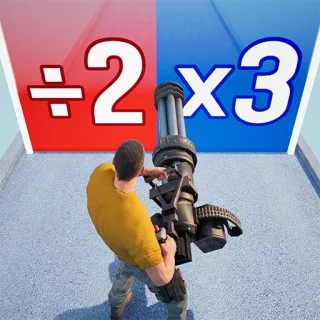
Duck Survival is a mobile roguelike shooter with tower-defense survival gameplay. Playing as a duck, you'll fight against mutated zombies and bosses at night while building and strengthening your base defenses during the day.
Heroes, skills, buildings, equipment, and other progression systems give you different ways to develop your squad and prepare for harder stages. Outside the main defense battles, the game also includes activities such as dungeon exploration, Guild Boss fights, and Arena PvP.
As a free-to-play game, top-ups in Duck Survival are optional and provide access to eligible vouchers, Diamonds, cards, and packs listed in the game store.
Currency Explained: What Are Duck Survival Vouchers and Diamonds?
In Duck Survival, Diamonds are the main in-game currency, which can be obtained through real-money purchases. Use Diamonds to buy rare items, unlock heroes, buildings, and special skills, and to purchase banknotes.
And there are two important vouchers:
Skill Supply Voucher – Use this voucher to unlock cool new skills. Examples include splitting explosive arrows, duck clones, and an eternal rotating scythe that cuts down enemies. These skills make your duck much more powerful in battle.
Hero Supply Voucher – Use these vouchers to unlock heroes. Each hero has powerful skills that are capable of turning the tide of battle. Heroes can also synergize with your duck's abilities to unleash stylish combo attacks.
FAQ
What information is required for Duck Survival recharge?
Use the linked login option shown in the order’s Self‑TopUp interface. The exact fields can depend on your game login method. Enter account information only through the verified order flow.
How does an Any Pack work?
An Any Pack can be used for an eligible in-game offer with the same USD value as the product you purchased. Confirm the item name, contents, and price before completing the recharge.
Can I log in while my Duck Survival top up is processing?
Do not access the same Duck Survival account from another device or location while the order is being processed. Wait for the completion notification, then log in normally and check the delivered content.
Which languages are available in Onimusha on Steam?
Steam lists 14 interface and subtitle languages: English, French, Italian, German, Spanish (Spain), Arabic, Spanish (Latin America), Portuguese (Brazil), Polish, Russian, Simplified Chinese, Traditional Chinese, Japanese, and Korean. Full audio is available in English, French, Italian, German, Spanish (Spain), Portuguese (Brazil), Russian, Simplified Chinese, and Japanese.