| Product Type |
Digital gift card (redemption code delivered online) |
| Applicable Game |
Valorant (developed & published by Riot Games) |
| Applicable Platform |
PC (via Riot Client)
|
| Currency Credited |
Valorant Points (VP) |
| Supported Regions |
US Region available |
| Expiration |
No expiration. Once purchased, the code remains valid until redeemed
|
| Delivery Time |
Instant (typically within 3 minutes after payment confirmation)
|
Note: Valorant Points obtained via the gift card are bound to the Riot account that redeems the code and cannot be transferred or refunded.
How to Redeem a Valorant Gift Card?
1. Select and Purchase: Choose and purchase your desired VP tier (for example, 475 VP).
2. Get Your Code: After purchasing, you will receive a redemption code.
3. Visit the Redemption Page: Go to the official Riot Games redemption page at https://shop.riotgames.com/redeem/ and enter your code.
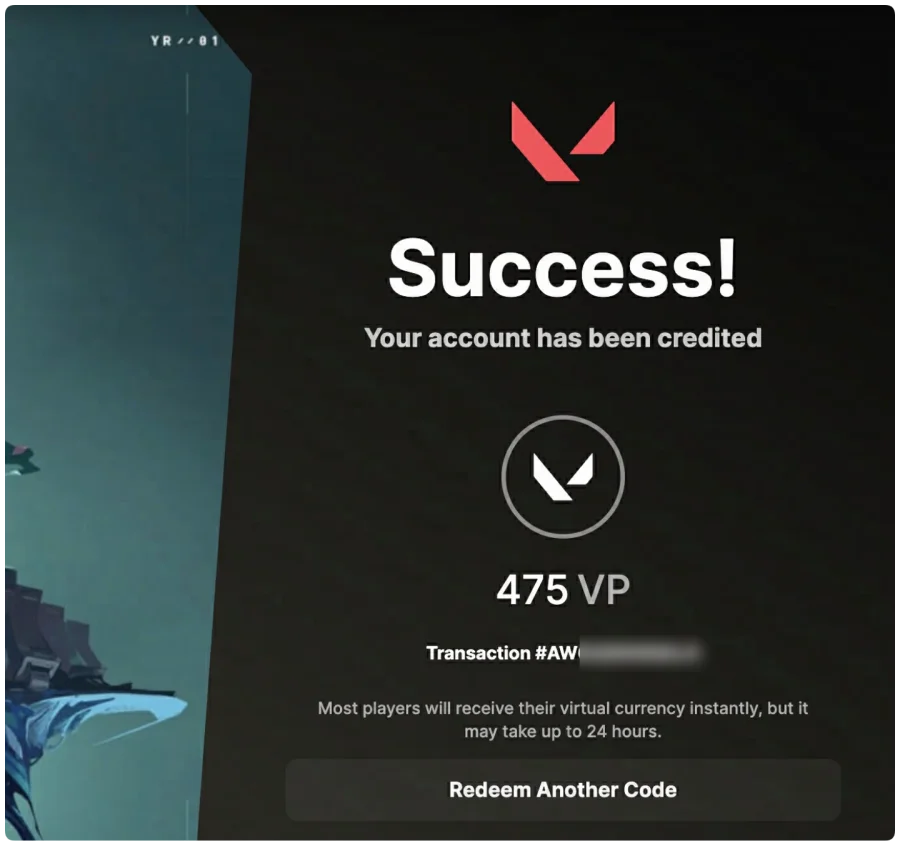
4. Claim Your VP: Once entered, select Valorant. The VP will be credited directly to the Valorant account associated with your logged-in Riot account, as shown in the image below.
You can also redeem the Valorant gift code in-game. Follow the steps below.
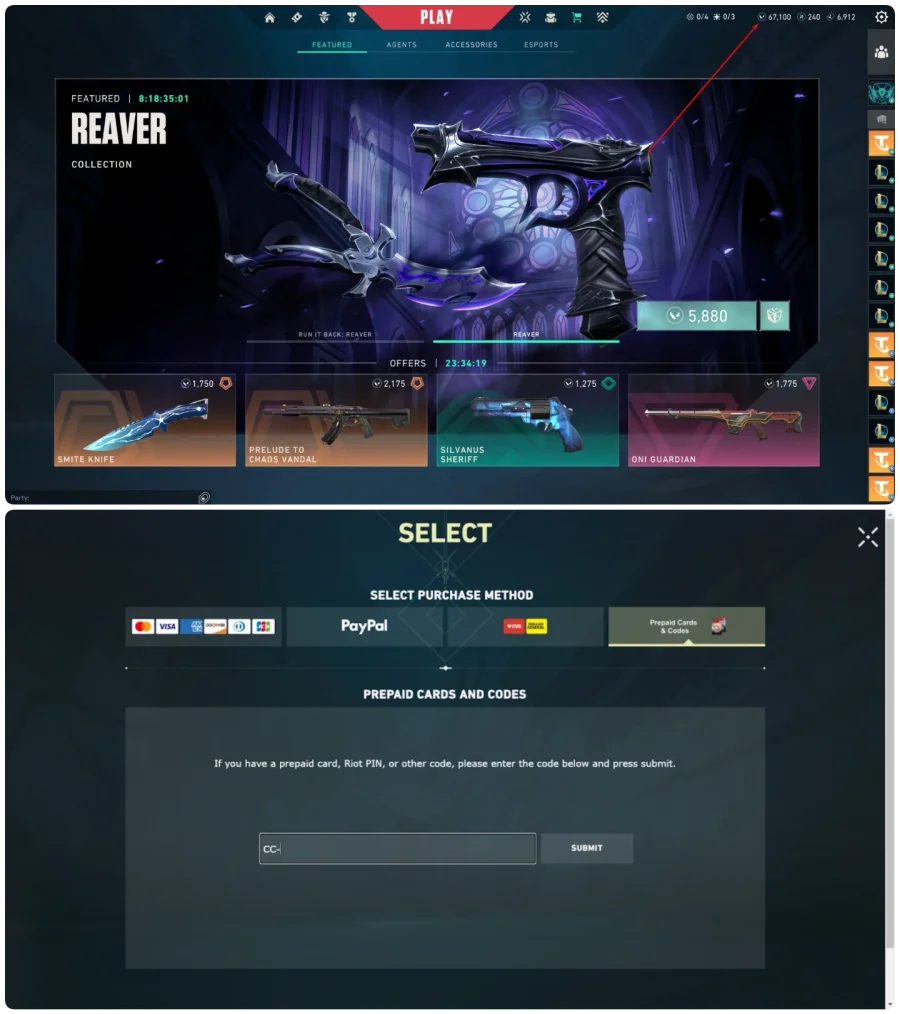
1. Log in to the VALORANT game client and click on the VALORANT icon located by your VP in the upper right corner.
2. Select Prepaid Cards & Codes and input your code exactly as it appears.
3. Once the code is submitted, your Valorant Points are applied directly to your Riot Games account balance and are ready to spend in the VALORANT in-game store.